
📌 Quick Summary
What This Guide Covers: A simple, step-by-step system to create high-quality blog content using ChatGPT and AI tools—perfect for beginners.
Time Investment: 2–3 hours per week once your system is set up
Budget Needed: Start completely free—paid tools are optional later
Who This Is For: WordPress bloggers, small business owners, and creators feeling overwhelmed by content creation for beginners
Main Benefit: Cut your content creation time in half while improving quality and consistency
How ChatGPT Transformed My Content Marketing (Beginner’s Guide)
Let me be honest—two years ago, I was ready to quit blogging. Spending 6–8 hours on a single post was exhausting. Research, writing, editing, SEO—it felt like too much for one person.
Then I discovered ChatGPT for content marketing, and everything changed.
If you're tired of staring at a blank screen, struggling with consistency, or feeling overwhelmed by content creation, you’re not alone. Most beginners quit—not because they lack talent, but because they lack a system.
This beginner-friendly guide will show you exactly how to build a content marketing strategy using AI—without jargon, without technical complexity, and without burnout.
✅ No confusing terms
✅ No expensive tools required
✅ Just clear, actionable steps you can use today
By the end, you’ll know how to turn AI into your personal content assistant and transform your blog into a traffic-driving machine.
Why Every Blogger Needs AI (Like, Yesterday)
Think about your typical day. You're trying to be:
- A researcher finding trending blog topics
- A writer crafting posts
- An SEO expert optimizing for Google
- A designer creating images
That’s five jobs in one—no wonder you’re overwhelmed!
AI tools like ChatGPT act as your content assistant, handling time-consuming tasks so you can focus on your voice and connecting with readers.
Your Complete 6-Step AI Content Marketing Strategy for Consistent Blog Growth
Creating content consistently doesn’t have to be exhausting. This simple AI-powered content marketing strategy is designed for beginners who want to publish smarter, faster, and with clear direction—without burning out.
Step 1: Define Your Content Goal
Before using AI, get clear on your goal. Are you creating content to drive traffic, generate leads, or build authority? Clear goals guide AI in the right direction.
Step 2: Research Topics Using AI
Use AI to brainstorm blog topics, validate search intent, and uncover content gaps your audience is actively searching for. This removes guesswork from your content marketing strategy.
Step 3: Create SEO-Friendly Outlines
Let AI generate structured outlines with headings, FAQs, and keyword placement—so every post is optimized before writing begins.
Step 4: Write Faster With AI Assistance
Use AI as a writing assistant—not a replacement. Draft sections quickly, refine in your voice, and maintain quality while cutting writing time in half.
Step 5: Optimize & Edit for Humans
Edit for clarity, flow, and value. AI helps improve readability, but your experience and insight turn content into something readers trust.
Step 6: Publish, Promote, and Repurpose
Turn one blog post into multiple assets—social posts, emails, and short-form content—to maximize reach and grow consistently.

Here The Exact AI Content Workflow for Beginners
Step 1: Find Topics Your Audience Actually Wants (15 Minutes)
Stop guessing what to write about. Use AI to research.
Try this ChatGPT prompt:
“I have a [your niche] blog for [your audience]. Give me 15 blog post ideas that solve real problems my readers face.”
Example: “I have a gardening blog for apartment dwellers. Give me 15 blog post ideas that solve real problems my readers face.”
Save your ideas in a Google Doc or Notion page so you never run out of content ideas for beginners.
Step 2: Research Smarter, Not Harder (20 Minutes)
Before writing, know what’s already out there. Use ChatGPT to analyze competitors:
“What do top articles about [topic] cover? What’s missing?”
This helps you create better content than competitors—filling gaps with your unique perspective.
Step 3: Create Your Content Outline (15 Minutes)
Never start writing without a roadmap. Prompt ChatGPT:
“Create a simple outline for a blog post about [topic] for [audience]. Include 5–7 sections with bullet points.”
Then, personalize it: add stories, examples, and note where images or screenshots fit.
Step 4: Write With AI as Your Assistant (60 Minutes)
Golden rule: AI helps, but YOU are the writer.
My hybrid writing process:
- Write your intro yourself (2–3 paragraphs)
- Use AI for explaining steps or concepts
- Add personal stories and real examples
- Write the conclusion yourself
Example prompt for AI sections:
“Explain how to install a WordPress plugin in simple terms for beginners.”
Then edit to match your voice and add visuals.
Step 5: Optimize for Google in Minutes (20 Minutes)
SEO for beginners is simple with AI. Use these prompts:
- For titles:
“Give me 10 catchy blog titles about [topic] including [keyword]” - For meta descriptions:
“Write a 160-character description that makes people want to click” - For alt text:
“Write alt text for a screenshot showing [describe]”
Then use free SEO plugins like Rank Math to check and improve.
Step 6: Add Images That Pop (20 Minutes)
Visuals keep readers engaged. Try:
- Canva’s free AI image generator for featured images
- Unsplash for free stock photos
- Screenshots for tutorials
- Simple Canva infographics
Spend 20 minutes max—don’t overcomplicate it.
🛠️ Free Tools That Actually Work
Must-Have Free Tools:
- ChatGPT (free) – Your AI writing assistant
- Grammarly (free) – Catches grammar mistakes
- Canva (free) – Creates images and graphics
- Google Docs – Organizes your content
- WordPress.org – Your blogging platform (always choose .org)
Useful WordPress Plugins (Free):
- Rank Math – Simplifies SEO optimization
- Elementor – Drag-and-drop page builder
- UpdraftPlus – Automatic blog backups
Optional Paid Upgrades (Later):
- ChatGPT Plus ($20/month) – Faster, better AI
- Canva Pro ($13/month) – More design features
Start free. Upgrade once you’re earning.
The Time-Saving Content Calendar Method
Here’s how I plan content with AI without burning out:
Once a Month (2 hours)
Use this prompt:
“Create a 4-week content calendar for my [topic] blog posting twice weekly. Include titles and brief descriptions.”
Save everything in a spreadsheet or WordPress drafts.
Each Week (3–4 hours)
- Monday: Research & outline 2 posts (30 min each)
- Wednesday: Write & optimize post #1 (90 min)
- Friday: Write & optimize post #2 (90 min)
This keeps you ahead and eliminates last-minute panic.
Common AI Content Mistakes (And How to Avoid Them)
Mistake #1: Publishing Raw AI Content
The Fix: Always add personality, stories, and real examples. Sound like you, not a robot.
Mistake #2: Sounding Too Formal
The Fix: Write like you’re talking to a friend. Use contractions, short sentences, and simple words.
Mistake #3: Ignoring Reader Needs
The Fix: Before writing, ask: “What problem is my reader solving?” Write directly to that need.
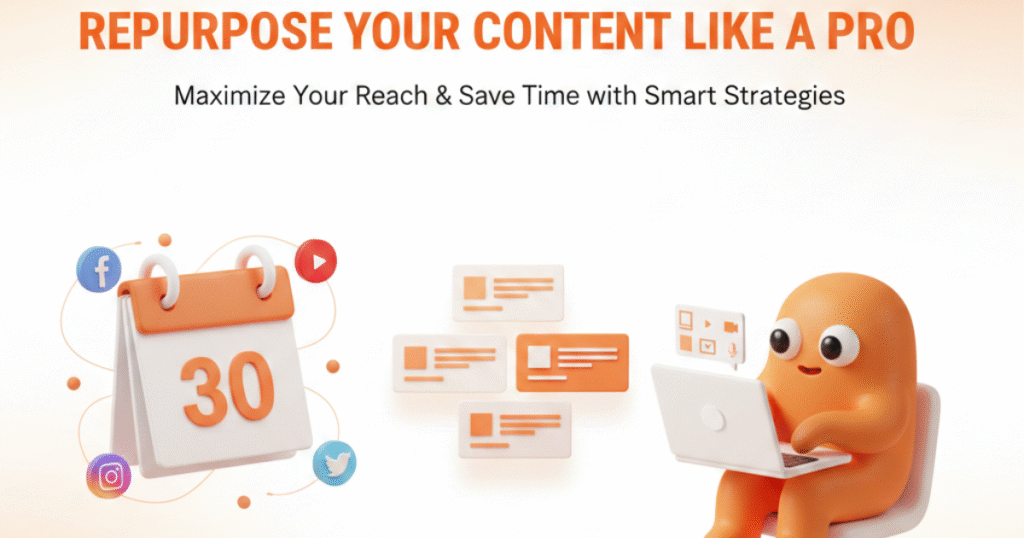
Turn One Post Into Many Pieces of Content
One blog post can become multiple pieces of content across platforms:
- 5–10 social media posts
- An email newsletter
- A Twitter/X thread
- An Instagram carousel
- A short YouTube video
- A Pinterest graphic
Ask ChatGPT:
“Turn this blog post into 5 Instagram posts under 150 words each.”
This content repurposing strategy multiplies your reach effortlessly.
📊 Track What’s Working
Check weekly:
- In Google Analytics (Free):
- Blog visitors
- Most-viewed posts
- Average time on page
- In WordPress:
- Comments
- Social shares
What to do: Write more of what works. Improve posts that don’t engage.
✅ Your Week 1 Action Plan
- Day 1: Create a free ChatGPT account and practice prompts
- Day 2: List 10 blog topics your audience wants
- Day 3: Create one detailed outline with ChatGPT
- Day 4: Write your first draft (don’t aim for perfection)
- Day 5: Edit, add images, optimize for SEO
- Day 6: Final read-through and schedule to publish
- Day 7: Rest! You’ve created your first AI-assisted blog post.
Next week, repeat. It gets faster every time.
❓ Frequently Asked Questions
Q1: Do I need to be a tech expert to use AI for content creation?
A: Not at all! Start small with free tools like ChatGPT, Canva, and Grammarly. Focus on learning one step at a time, and consistency will pay off.
Q2: How much time will it take to create a blog post using AI?
A: With this workflow, beginners can create a high-quality blog post in about 2–3 hours. Time decreases as you get familiar with the process.
Q3: Can AI replace me as a writer?
A: No. AI is your assistant—it helps with research, outlines, and drafts. Your unique voice, stories, and examples are what make your content stand out.
Q4: How do I come up with blog topics my audience actually wants?
A: Use AI prompts like: "I have a [your niche] blog for [your audience]. Give me 15 blog post ideas that solve real problems my readers face." This ensures your topics are audience-focused.
Q5: What if my AI content sounds too robotic?
A: Always add personality! Include personal stories, examples, and conversational language. Read it out loud—if it doesn’t sound like you, edit it.
Final Thoughts
Using AI for content marketing isn’t about shortcuts—it’s about working smarter so you can help more readers and grow your blog.
You don’t need to be a tech expert. Just start small, use free tools, and stay consistent.
Six months from now, you’ll look back amazed at how much you’ve accomplished.
Ready to start? Pick one step above and do it today. Your future self will thank you.